 New Tab
Switch any time
Click the palette button in any look, or press P. You can also choose "Change look…" in the ⌘K palette, or open Settings › Appearance. Changes apply instantly, with Undo.
Tab stacks open every site you need at once. A ⌘K palette finds anything. Your links become planets in your own galaxy. Free, local-first and private.
No account needed · Works in Chrome, Edge, Brave and other Chromium browsers
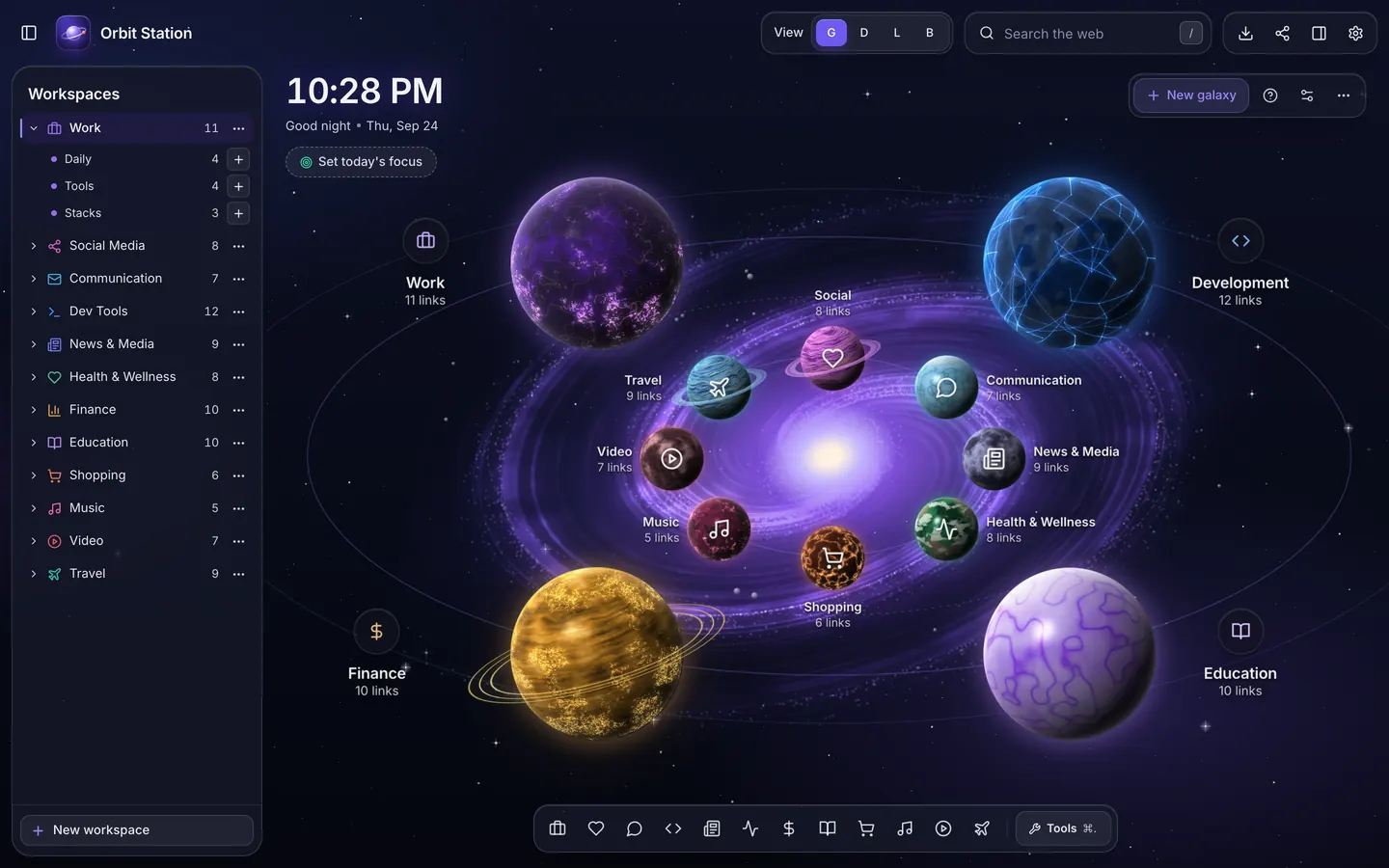
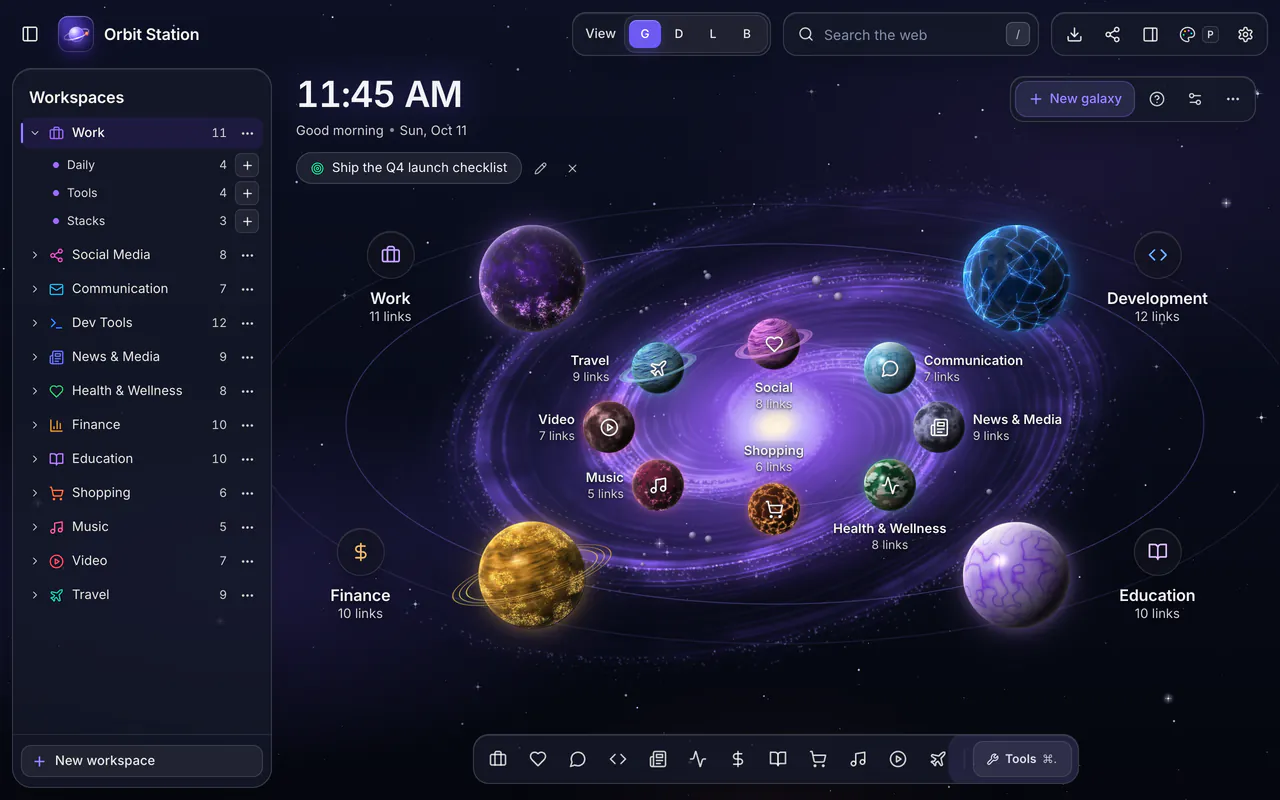
Clean is the new default. Galaxy stays as the signature look. Focus, Photo, Paper and High contrast are there when you want them. These are real screenshots of Orbit Station 1.8.
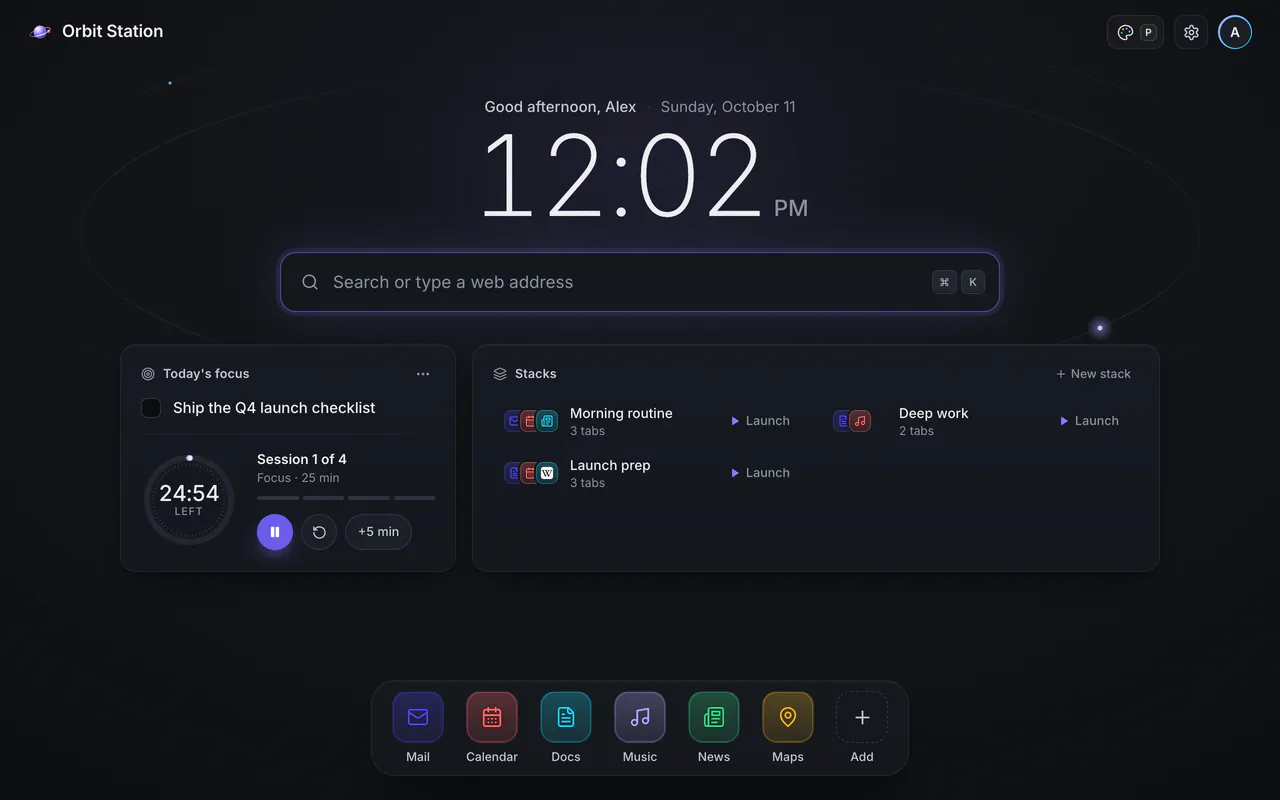
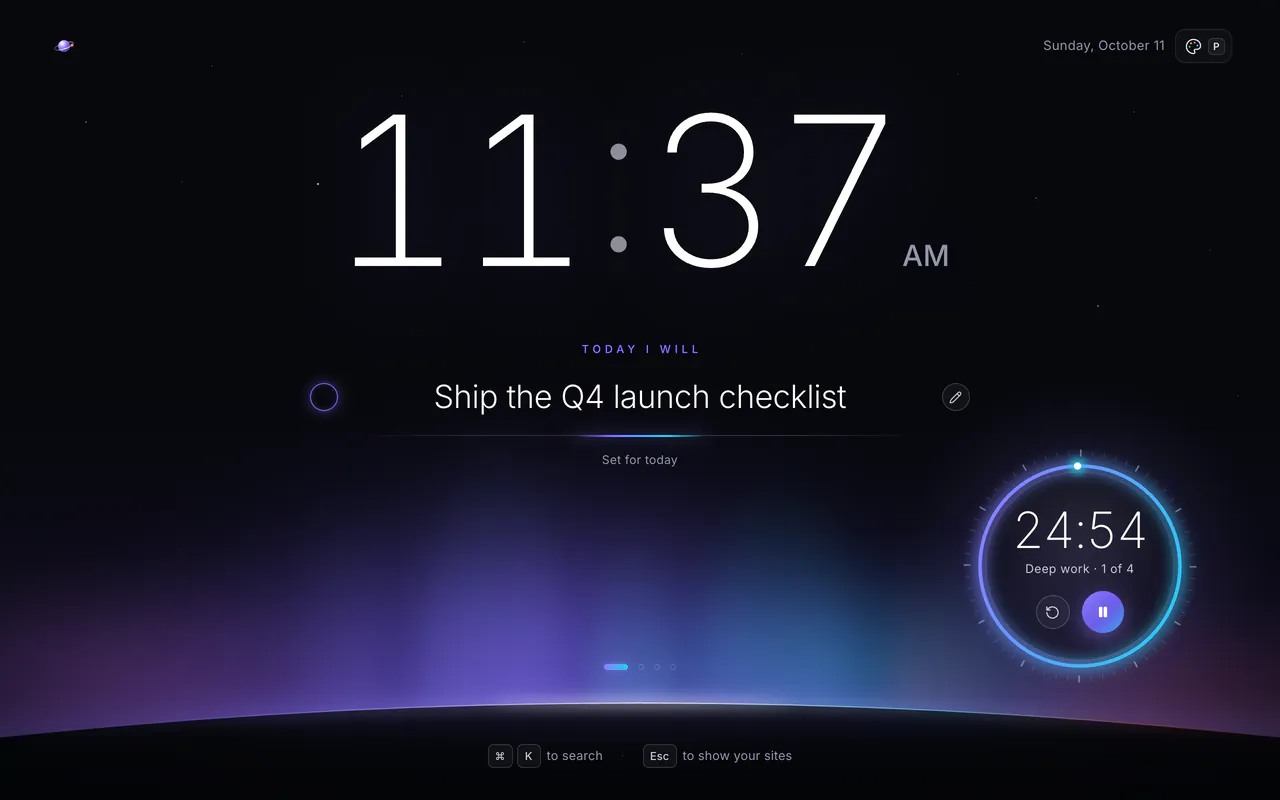
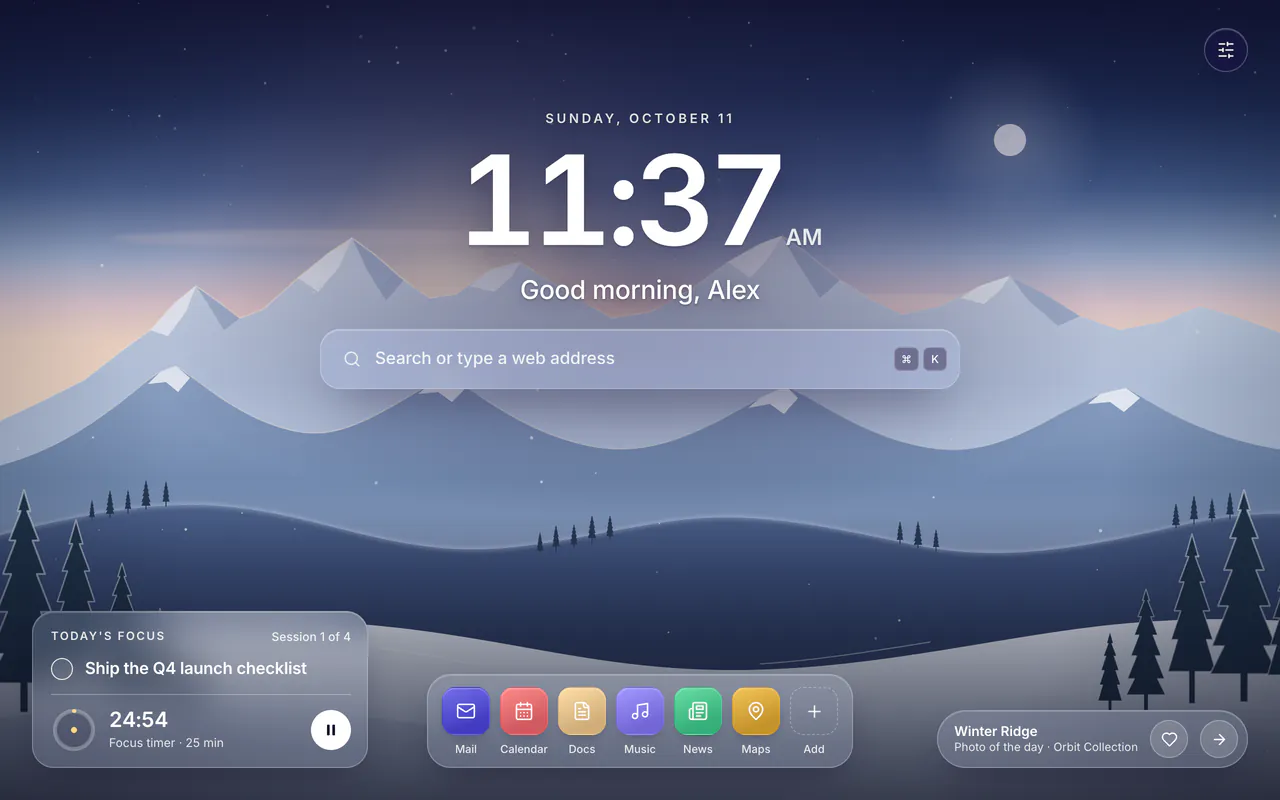
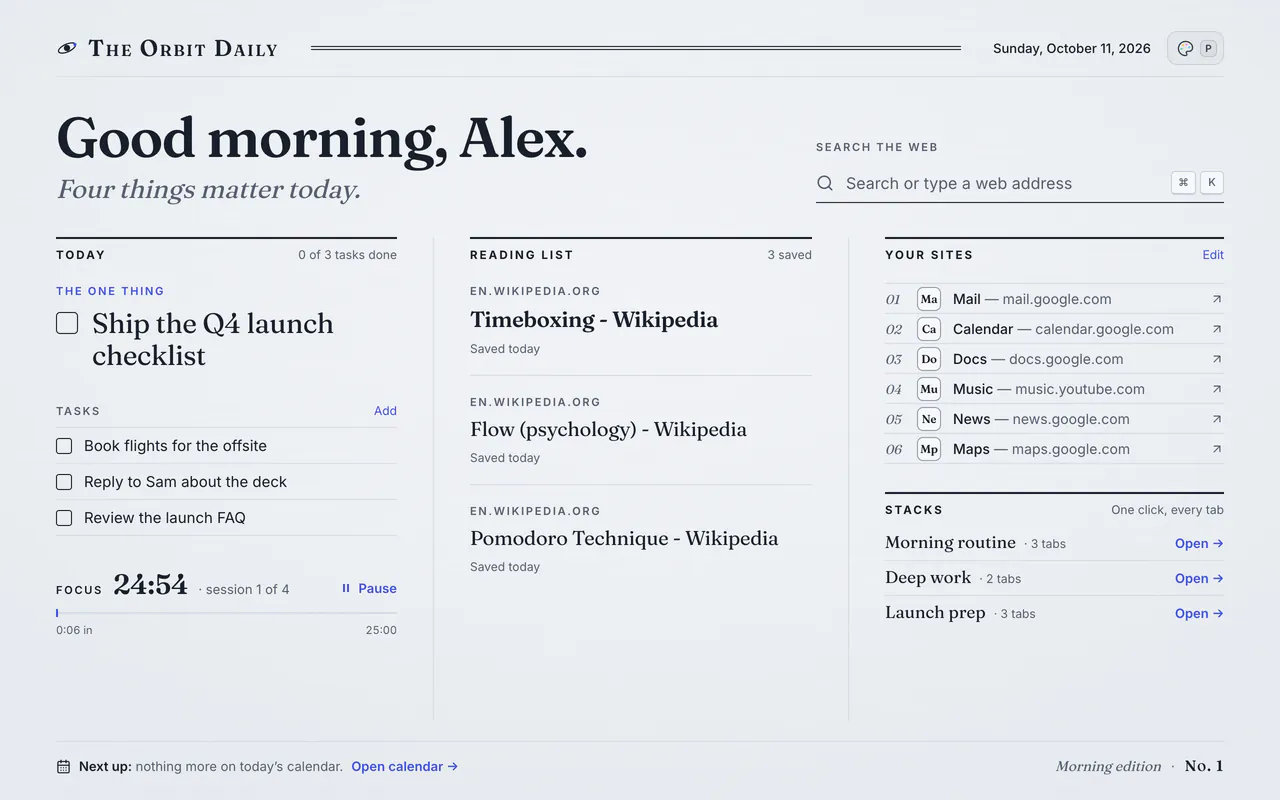
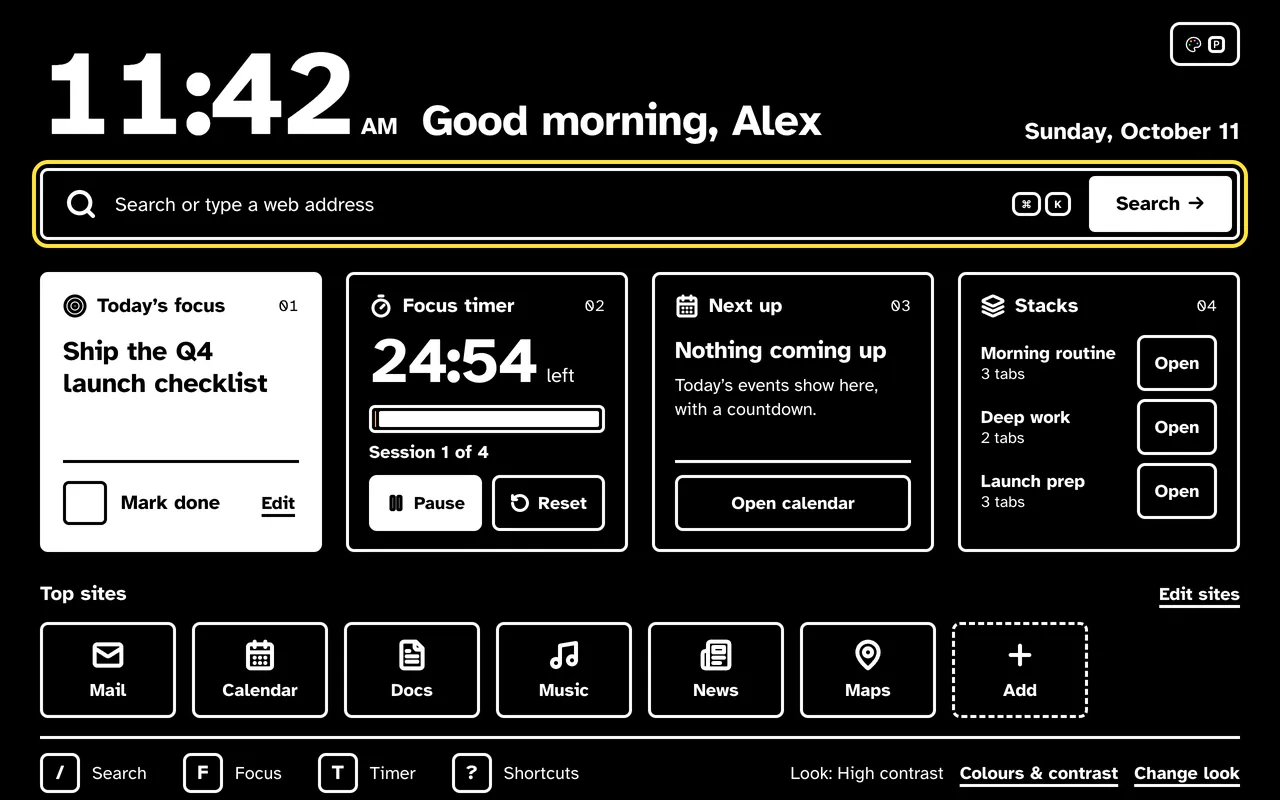
Clean, the new default: today's focus, a timer, your stacks and sites on one calm page. Dark or light.
Click the palette button in any look, or press P. You can also choose "Change look…" in the ⌘K palette, or open Settings › Appearance. Changes apply instantly, with Undo.
Six accent colors plus Custom, each at least 12:1 on black. Soft, Strong or Maximum contrast, a dark or light background, text at 100, 115 or 130%, a thicker focus ring and reduced motion. A live WCAG readout shows your text and accent contrast as you change them.
Already use Orbit Station? You stay on Galaxy, and a one-time card lets you try a look or keep Galaxy. See everything new in 1.8
These are real screenshots of the Galaxy look. Switch views with a single key, launch a stack, or press ⌘K.
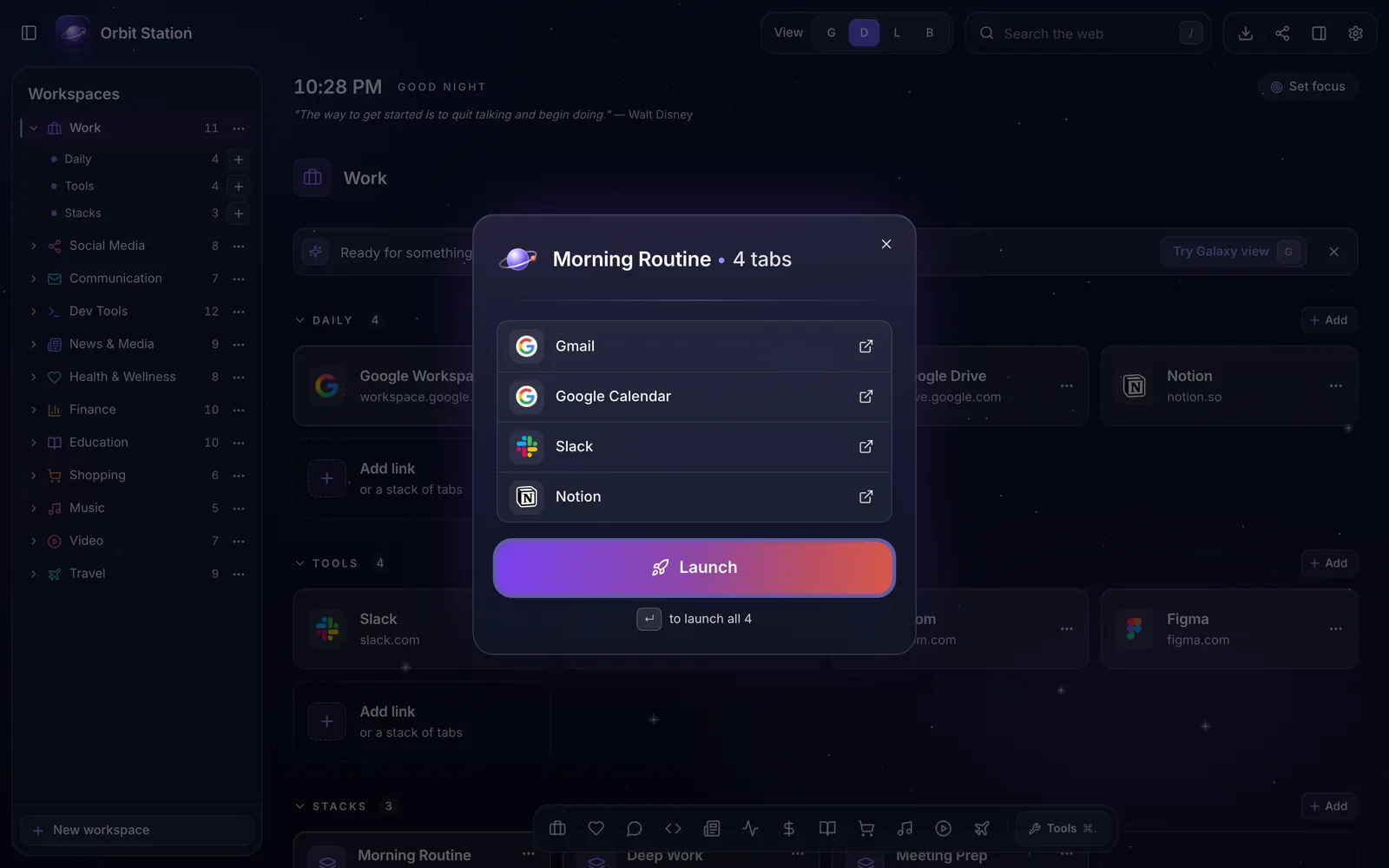
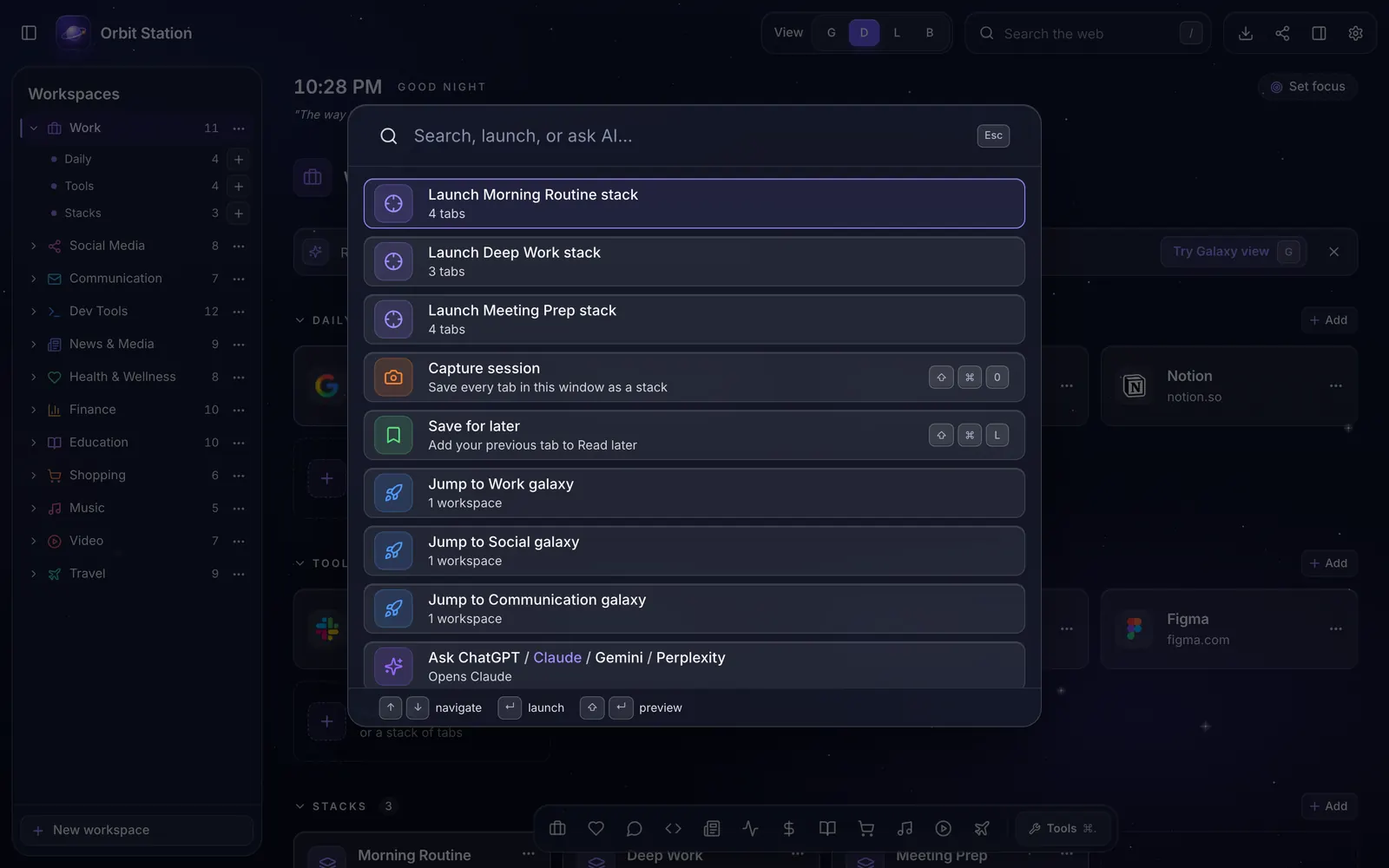
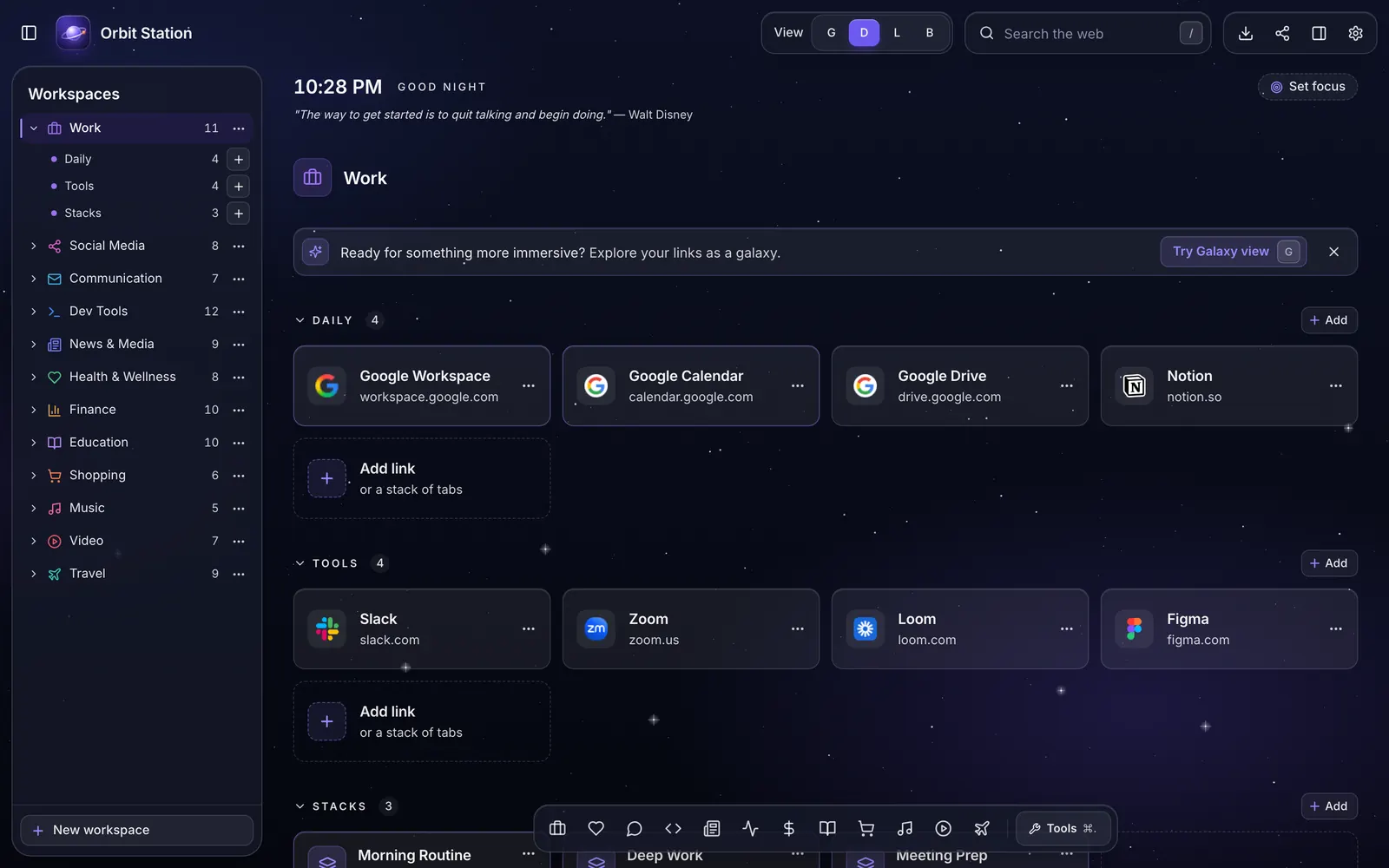
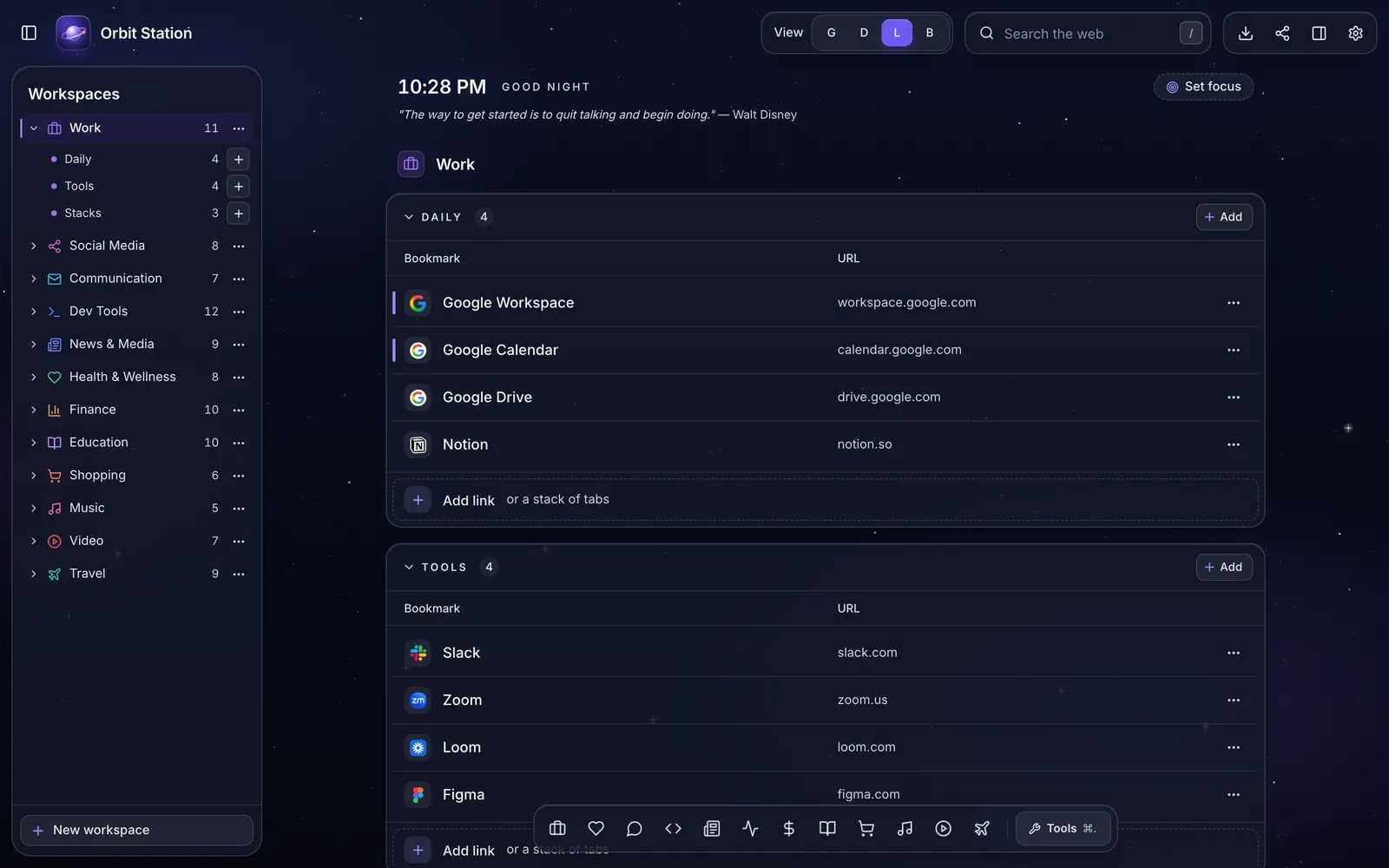
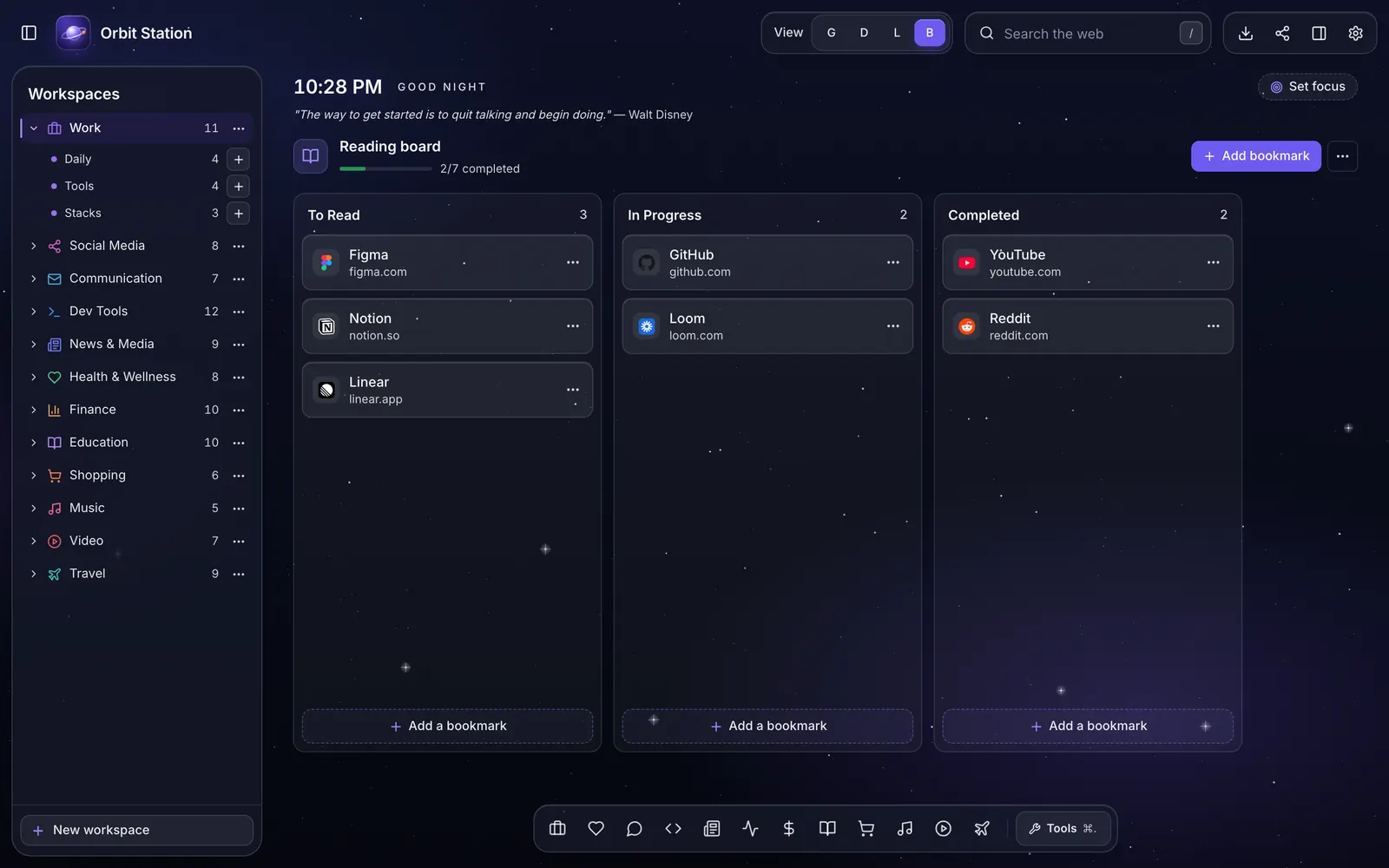
Galaxy: each category is a textured planet on an orbit ring. Click one to see its sites.
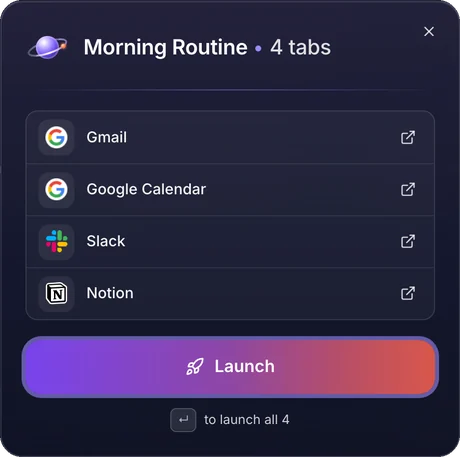
Group the sites you use together into a stack: your morning routine, a research session, meeting prep. Launch every tab at once from the new tab, preview what's inside, or open just one.
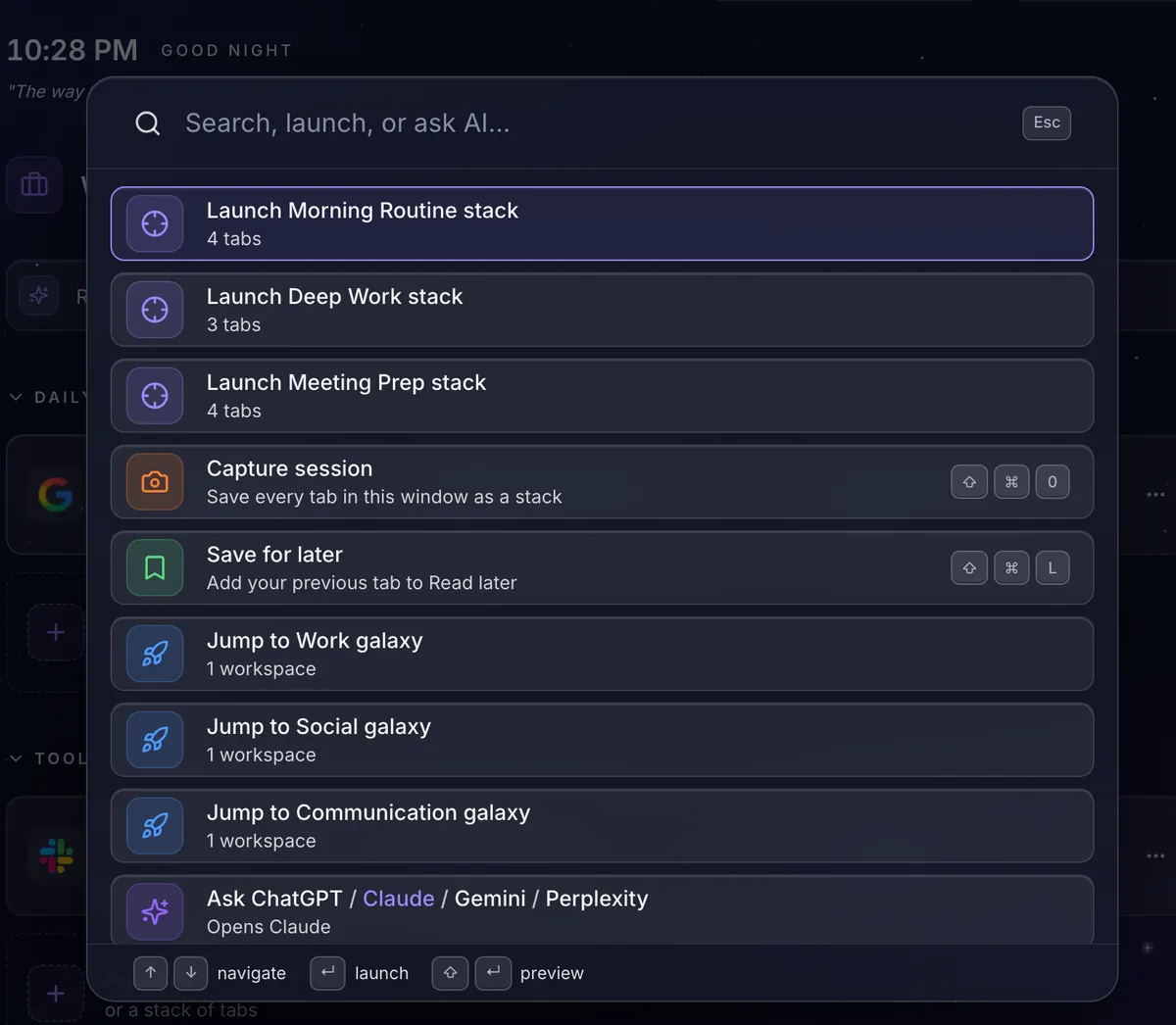
Press ⌘ K and suggested actions are already there. Type to find any link, stack or workspace, and hit Enter.
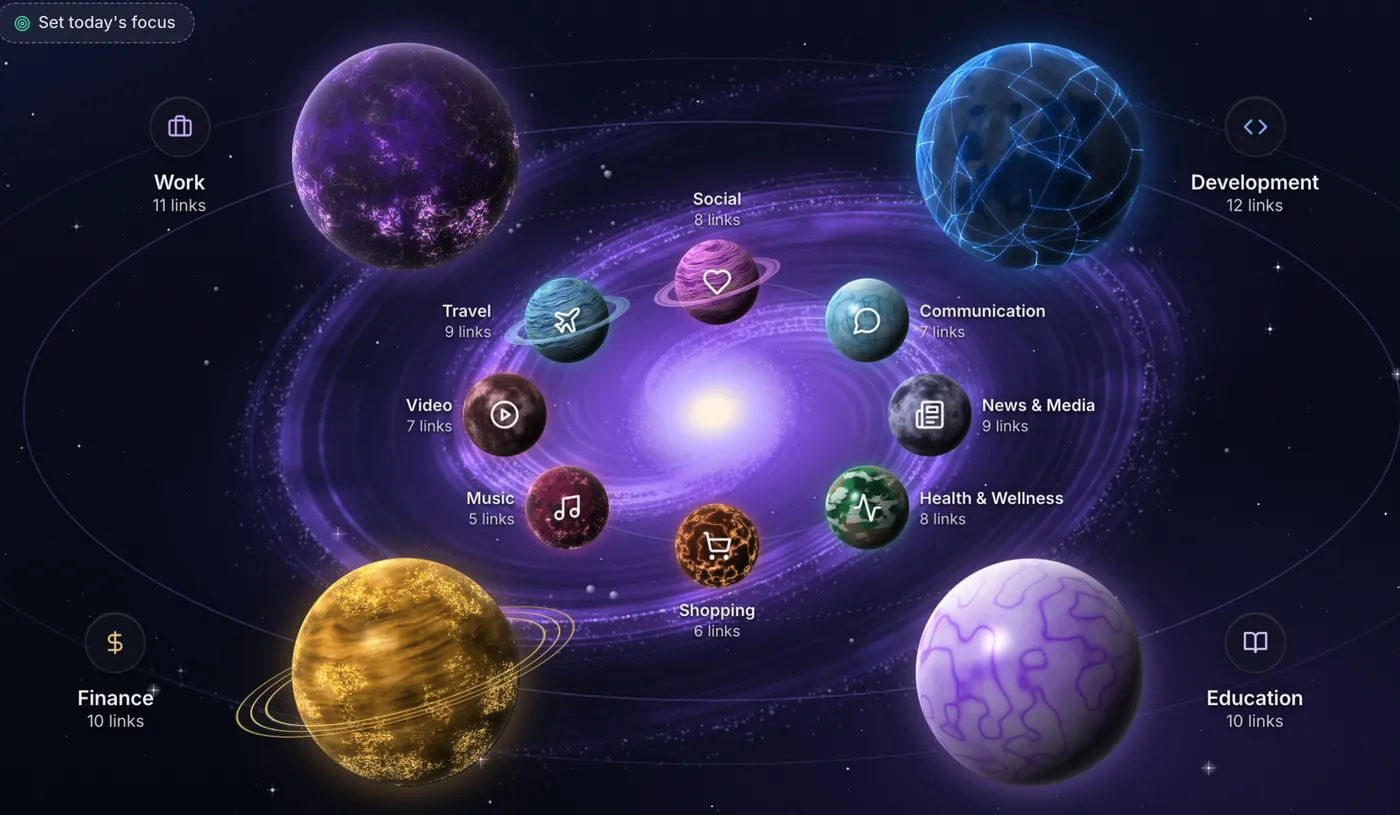
Every category is a textured planet orbiting a spiral galaxy, drawn right on your device. Click one to see its sites. Spatial memory does the rest.
Galaxy for the wow. Grid for speed. List for density. Board for your reading pile. Switch with one key.
A daily backdrop, clock, greeting and quote, your streak, and a Today chip for what's due. Use a built-in wallpaper or your own image (it stays on your device), any accent color, dark or light.
Set today's one focus right on your new tab. It resets each morning, checks off with a click, and follows you across devices on Pro.
Reopen a recently closed tab in one click, or park the current page with ⌘⇧L. Your read-later list lives in the sidebar and the palette.
Bring your sites from the Make it yours card: import your open tabs and bookmarks, so your new tab has your real sites on it. Import more any time.
Export your workspaces, links, tab stacks and settings as a JSON file whenever you like. No lock-in.
Open it with ⌘. on any new tab.
Quick notes
Several notes, saved as you type.
To-dos
Due dates, repeats and "call mom tomorrow" quick add.
Calendar
A month view with color-coded events.
Focus timer
With rain, noise or a space drone, made on your device.
Weather
Optional. Off until you turn it on.
One click from the Chrome Web Store. Works in any modern Chromium-based browser.
From the Make it yours card: import open tabs and bookmarks in a minute, any time.
Every new tab is now your command center: search, launch stacks and fly between galaxies.
Everything has a key. Press ? in Orbit Station to see them all.
On Windows and Linux, press Ctrl where you see ⌘. Stack shortcuts work from any tab once they're set in Chrome's keyboard shortcuts.
Build your galaxies once. Sign in on your laptop, desktop and work machine and pick up where you left off: galaxies, links, notes, to-dos and settings stay mirrored in near real time.
One secure click. No new password to remember.
One toggle in Settings. It switches on for you when you buy Pro inside the extension, and you can turn it off any time.
Open a new tab on any device and everything is already there, updating as you go.
Every feature, every view, unlimited workspaces, free forever on this device. Upgrade when you want your setup on every device.
The full experience, no limits
$0forever
Your workflow, on every device
$4.99/ month
or $39/year, save 35%
Early bird: $29/year for the first 500 members
Choose monthly or annual at checkout · cancel anytime · not charged until the trial ends
Free is local-first: no account, no ads, and usage analytics only if you opt in. Your links, workspaces, notes and to-dos stay in your browser via chrome.storage.local, and we can't see them. Want your setup on every device? Optional Pro sync keeps it in your own account, protected by per-user row-level security and encrypted in transit and at rest.
While Orbit is installed, the only outbound request by default is for icons of your saved links (DuckDuckGo receives each site's domain). Weather (Open-Meteo), the daily photo (Picsum) and analytics are off until you turn them on.
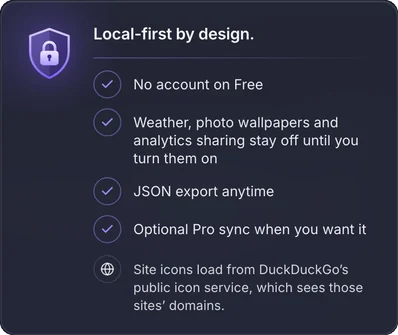
chrome.storage.local and we cannot see them. Cross-device sync is an optional Pro feature — when you choose to sign in, your own data is synced to your private, account-scoped storage protected by per-user row-level security. While Orbit is installed, the only outbound request by default is for icons of your saved links (DuckDuckGo receives each site's domain). Weather (Open-Meteo), the daily photo (Picsum) and analytics are off until you turn them on.
Install Orbit Station in ten seconds. Set up your galaxies in sixty. Never go back to a boring new tab.
Add to Chrome — freeAlso works in any modern Chromium-based browser.