What's new in Orbit Station 1.8
Six looks for your new tab. Pick the one that suits you, switch any time, and keep Galaxy if it already feels like home.
Orbit Station 1.8 is rolling out through the Chrome Web Store; your browser updates automatically.
Six looks. One new tab.
Every screen on this page is a real capture from Orbit Station 1.8.
-
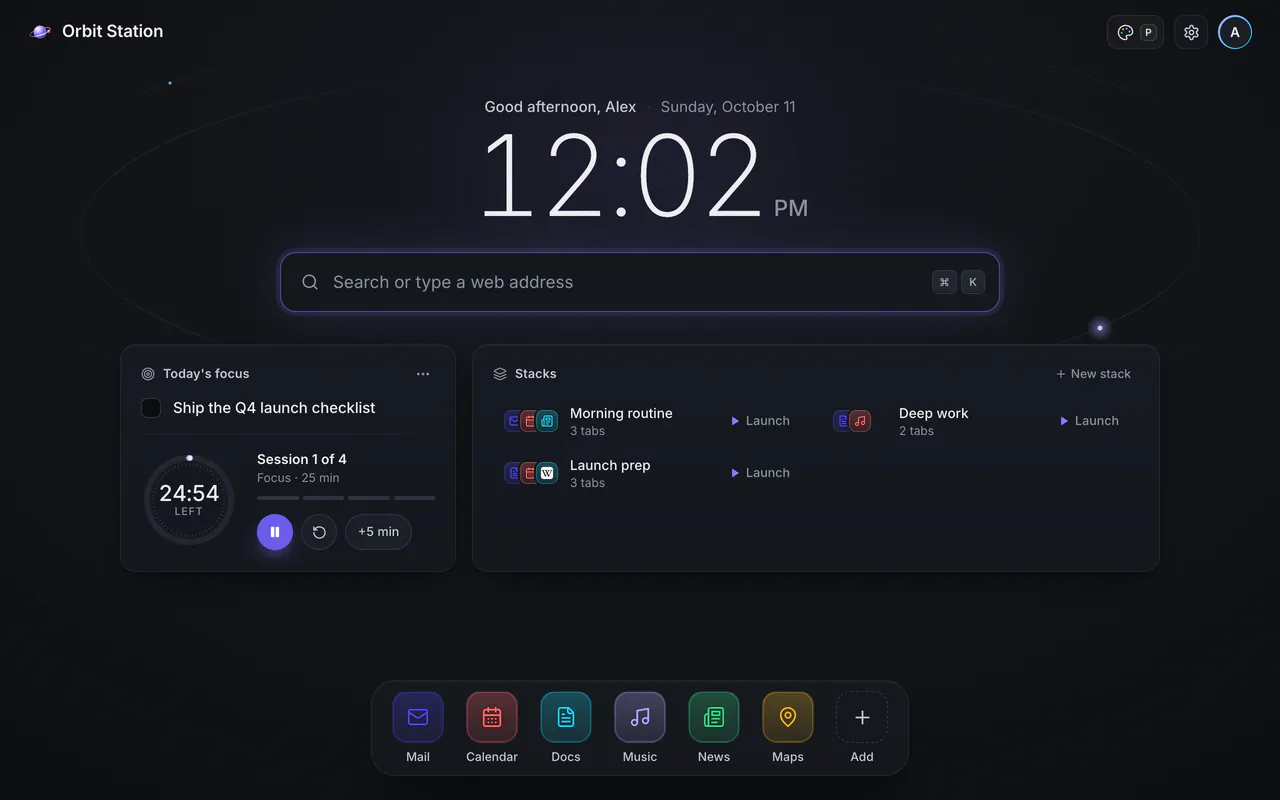
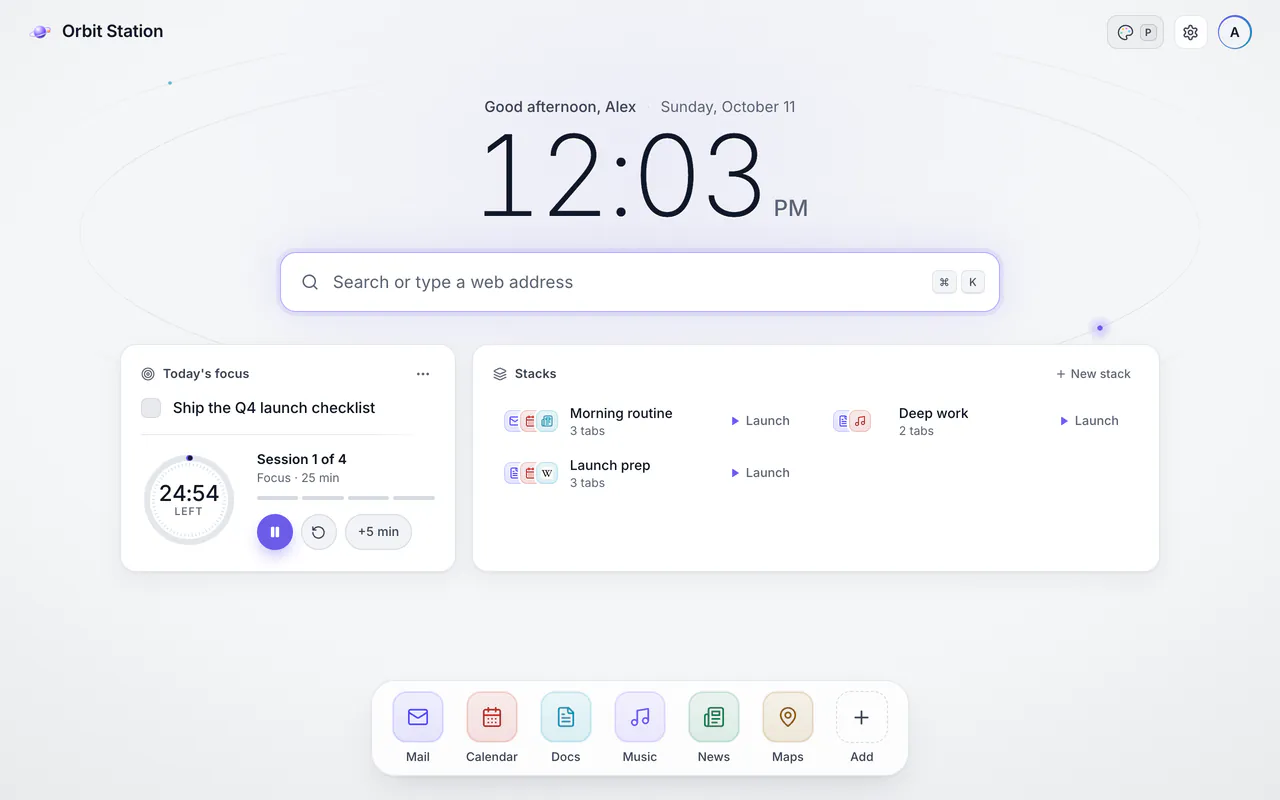
Clean
The new default for new installs. Today's focus, a timer, your stacks and sites on one calm page, in dark or light.
-
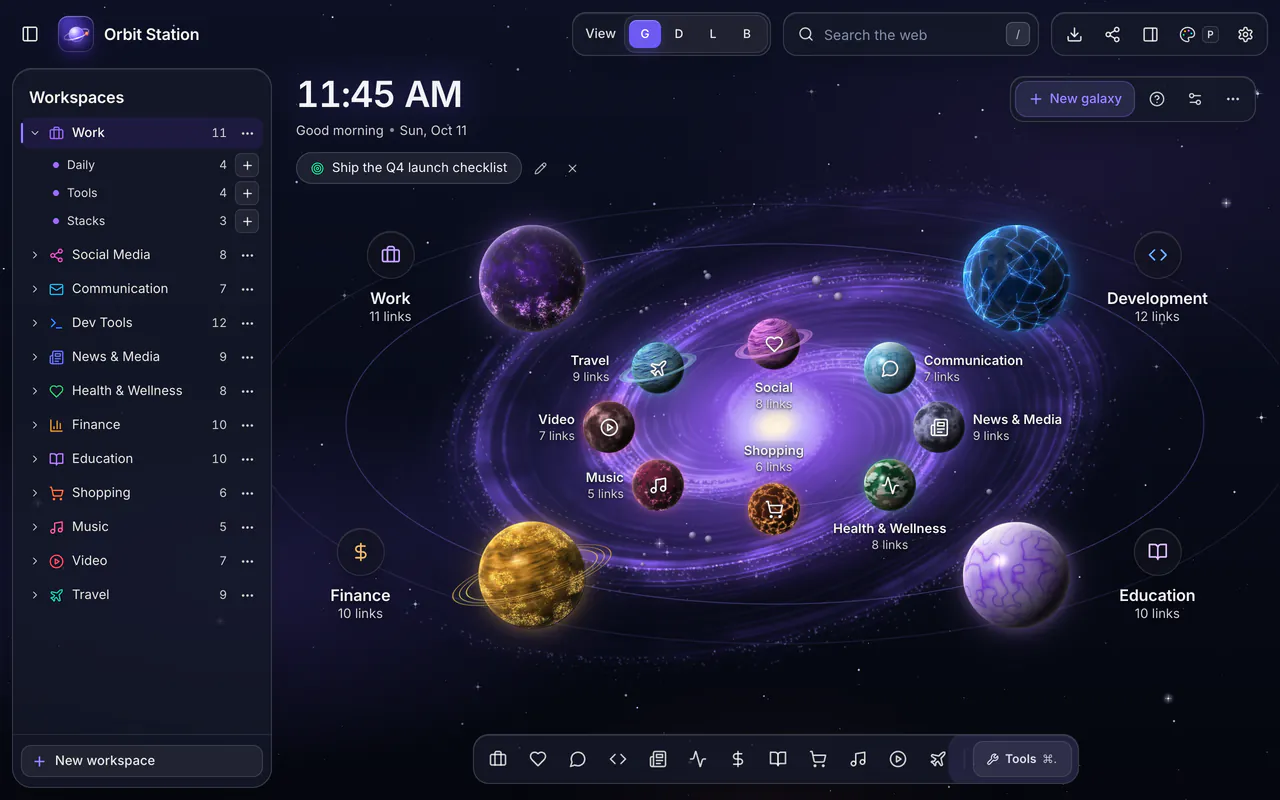
Galaxy Signature
Orbit's signature look: your workspaces as planets. The Galaxy you know, now with a palette button for switching looks, and if you already use Orbit, it stays yours.
-
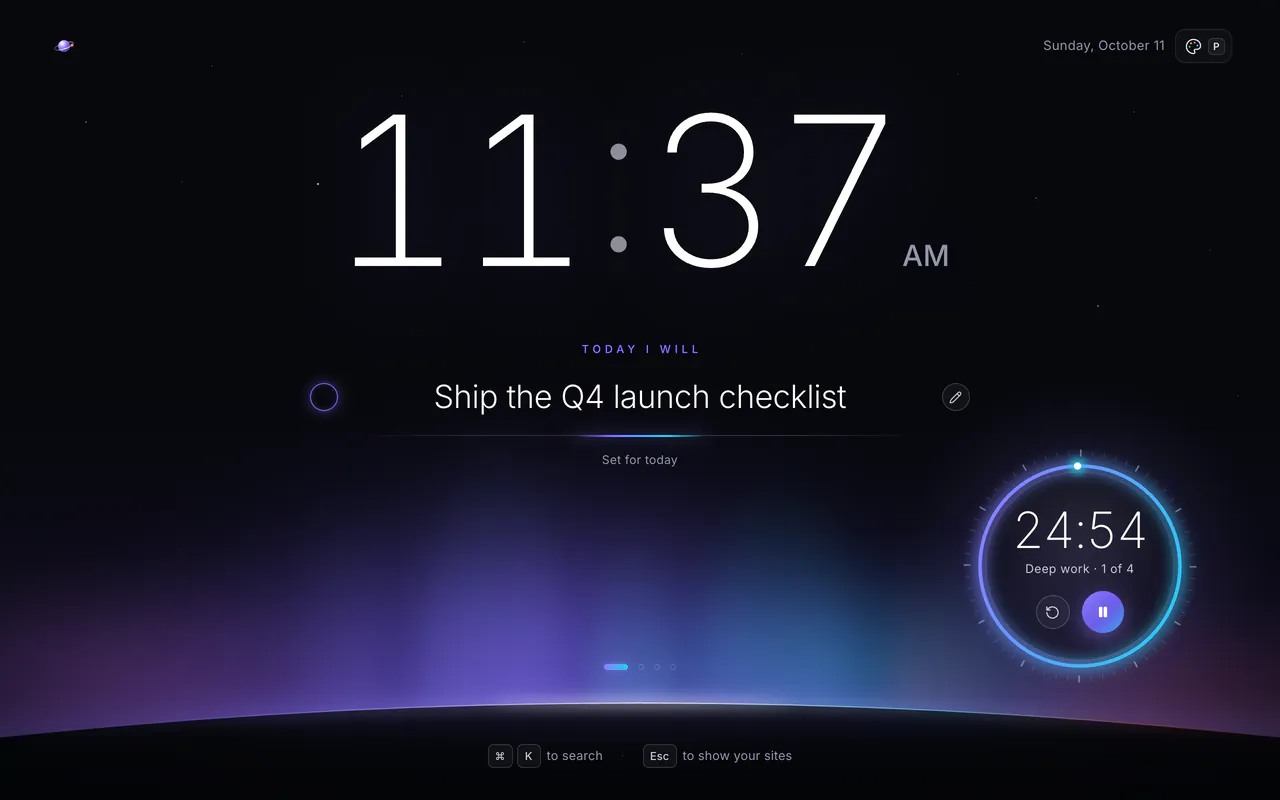
Focus
One big clock, one intention and a timer ring, for the days you need to get one thing done.
-
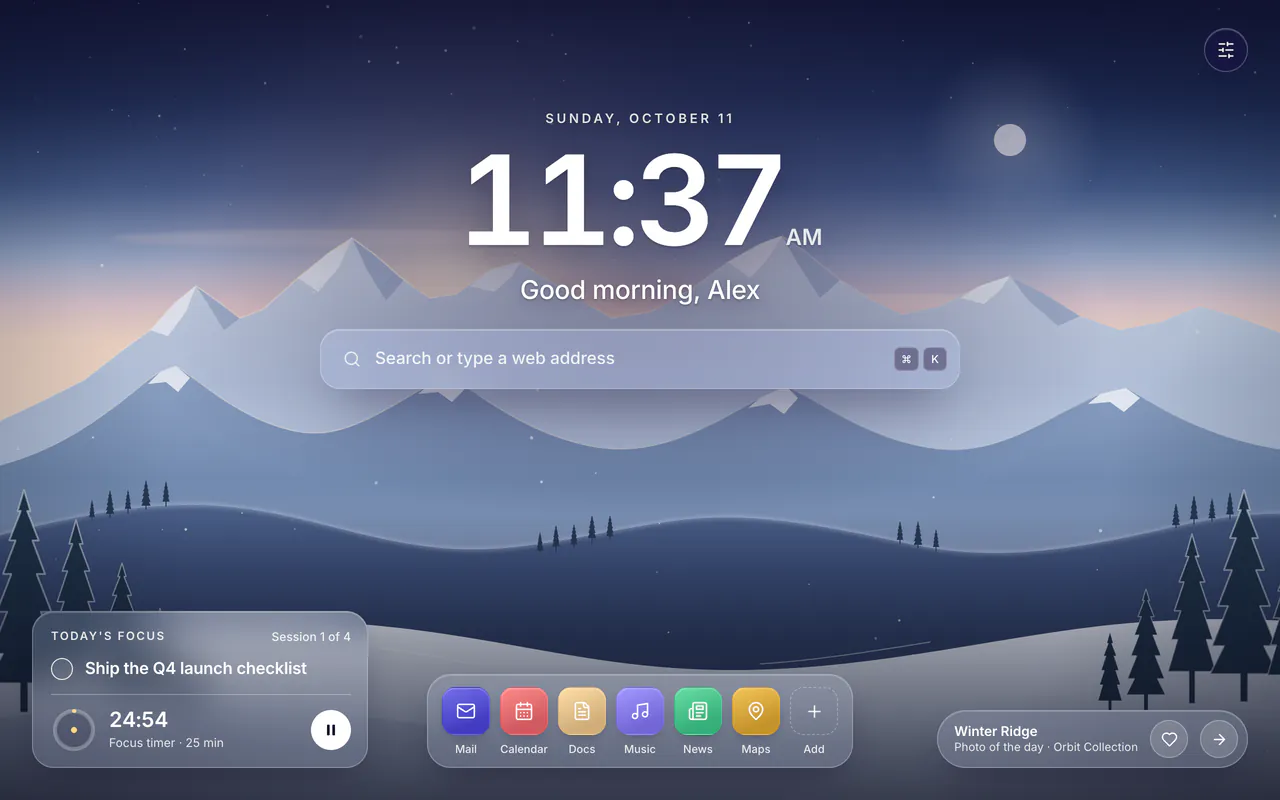
Photo
Five illustrated landscapes, a different one each day, so each scene comes back every five days.
-
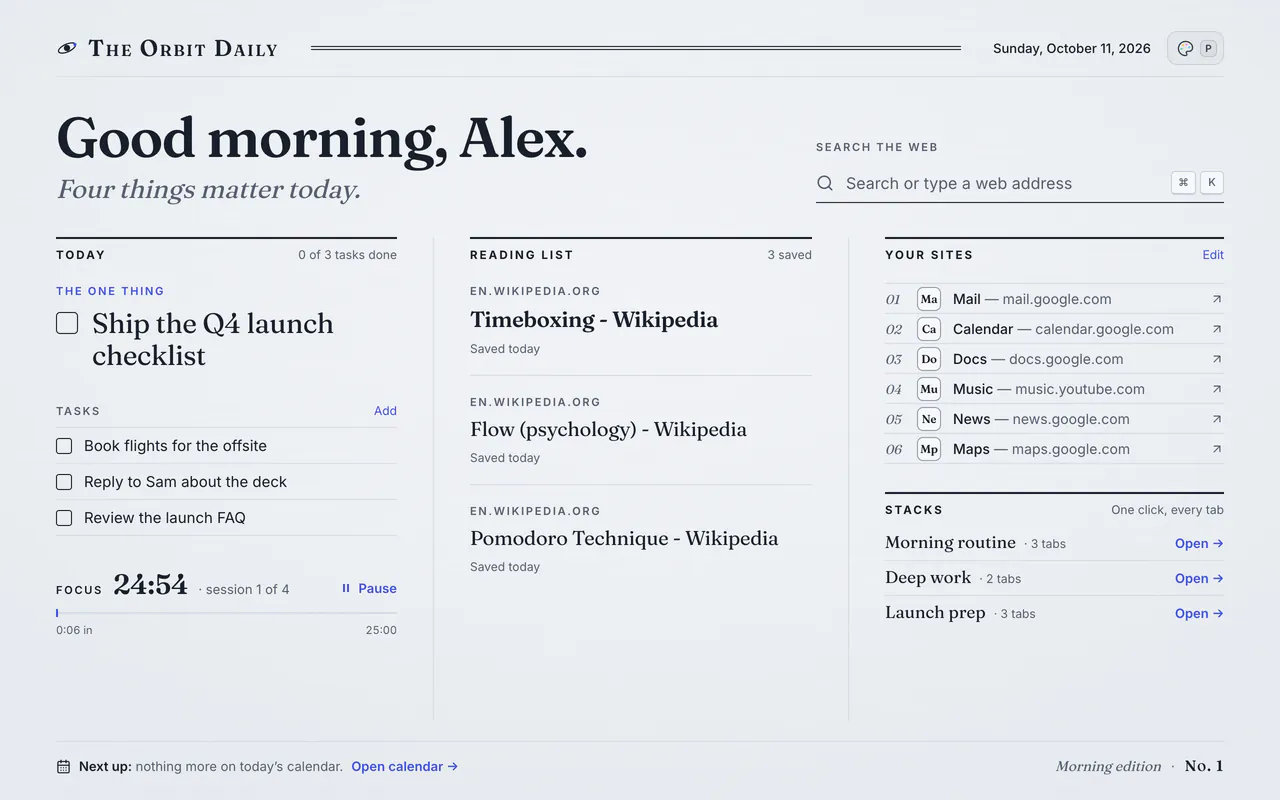
Paper
Editorial and quiet, made for reading: your tasks, reading list and sites on one page.
-
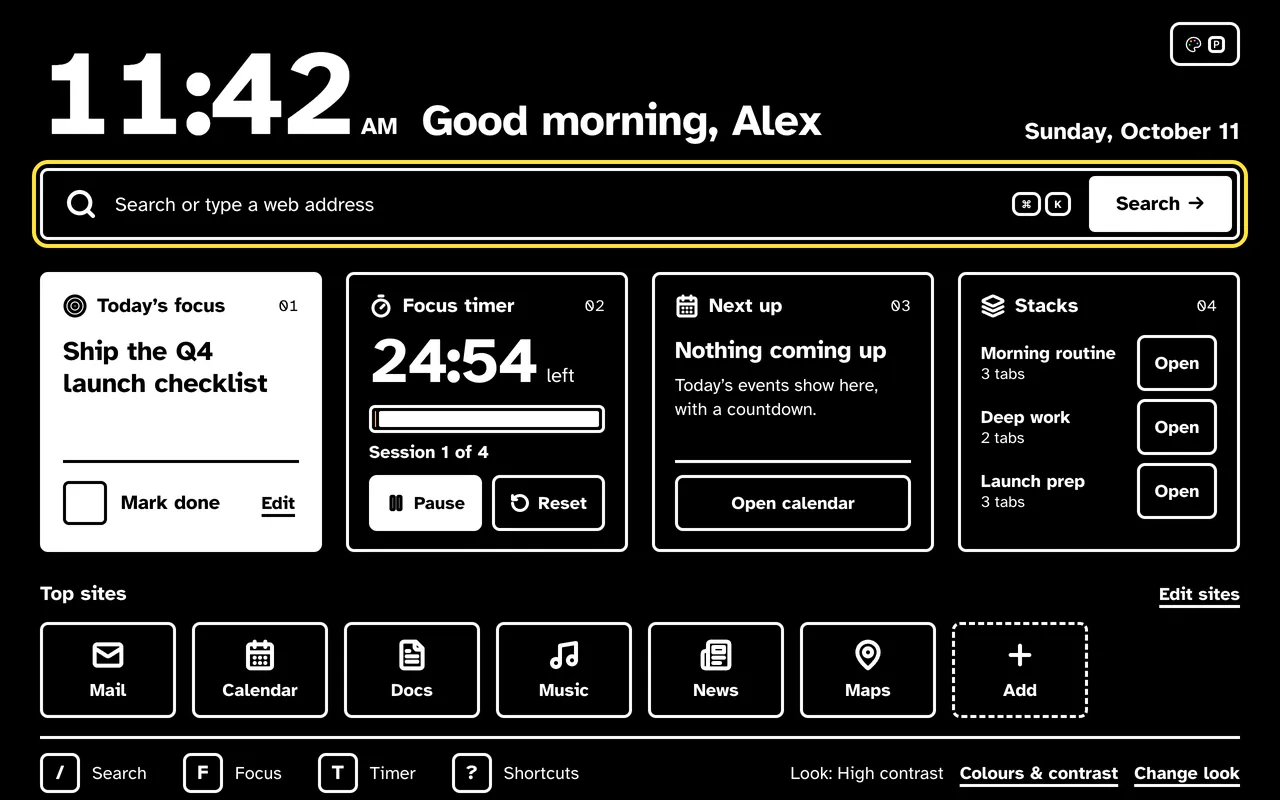
High contrast
Maximum legibility, with your own accent color, contrast level, background and text size.
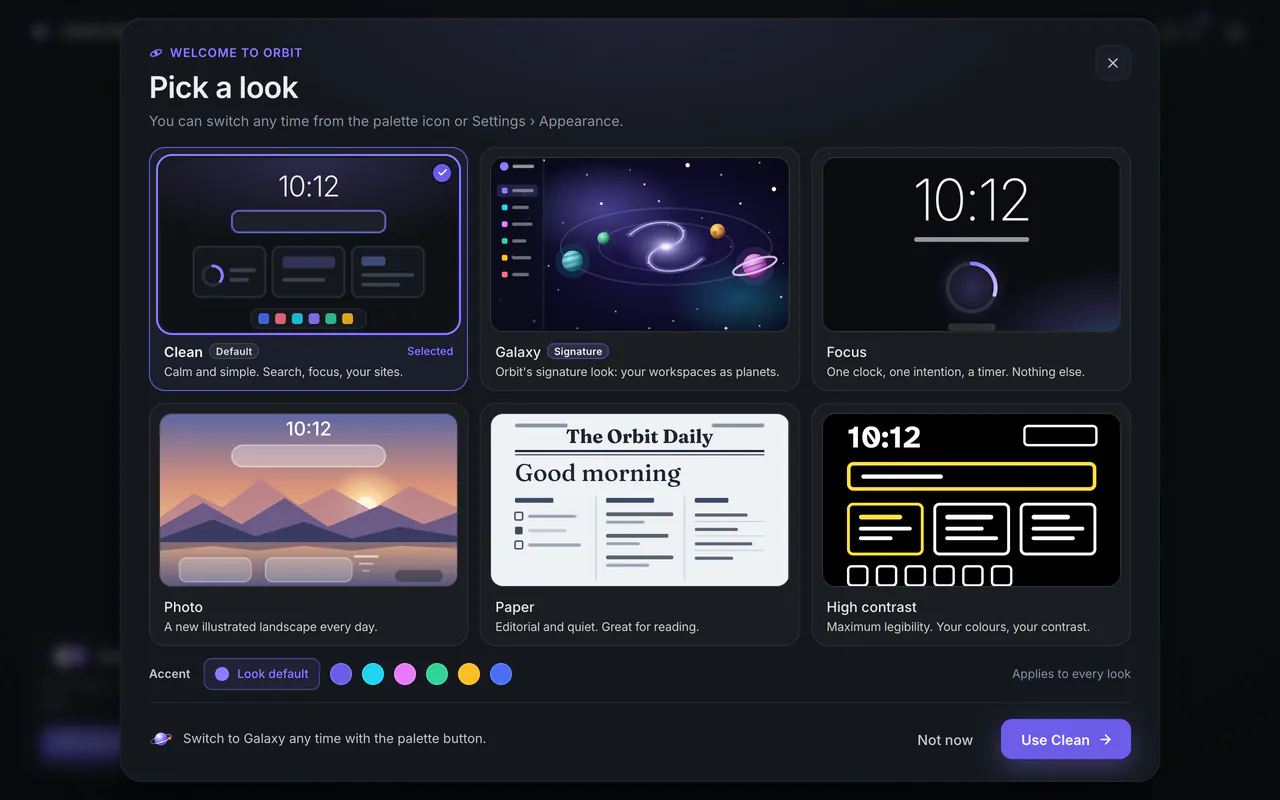
Pick a look
A new install opens a welcome tab and a "Pick a look" sheet, with Clean selected and the other five looks beside it. Choose one, or keep Clean and change your mind later.
- A lighter starter set of six sites.
- A "Make it yours" card on your new tab.
- No account needed. Orbit is local-first, and what you create is stored in your browser.
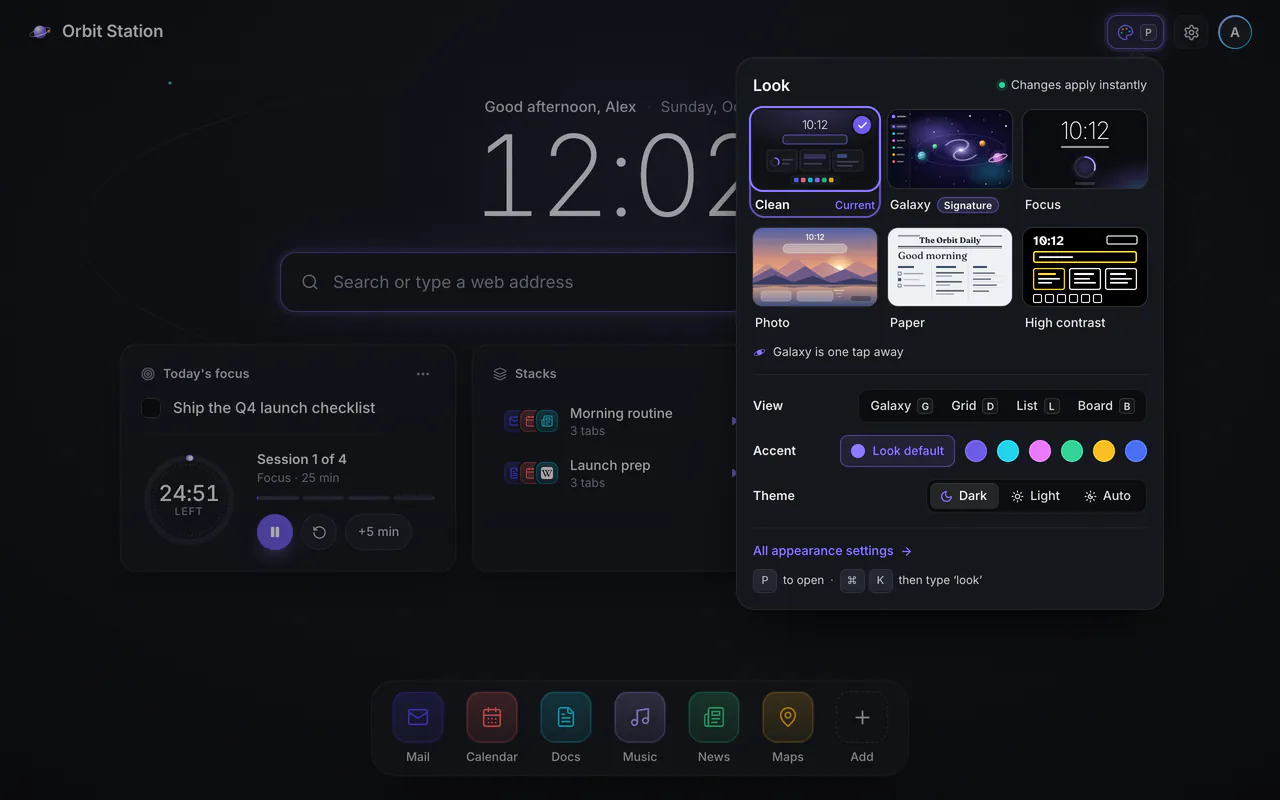
Switch any time
Changes apply instantly, with Undo. Open the look switcher whichever way suits you:
- The palette button, in every look.
- PPress P.
- ⌘KChoose "Change look…" in the command palette.
- Open Settings › Appearance.
In the look switcher, Galaxy is one click. From any other look it takes two: the palette button, then Galaxy.
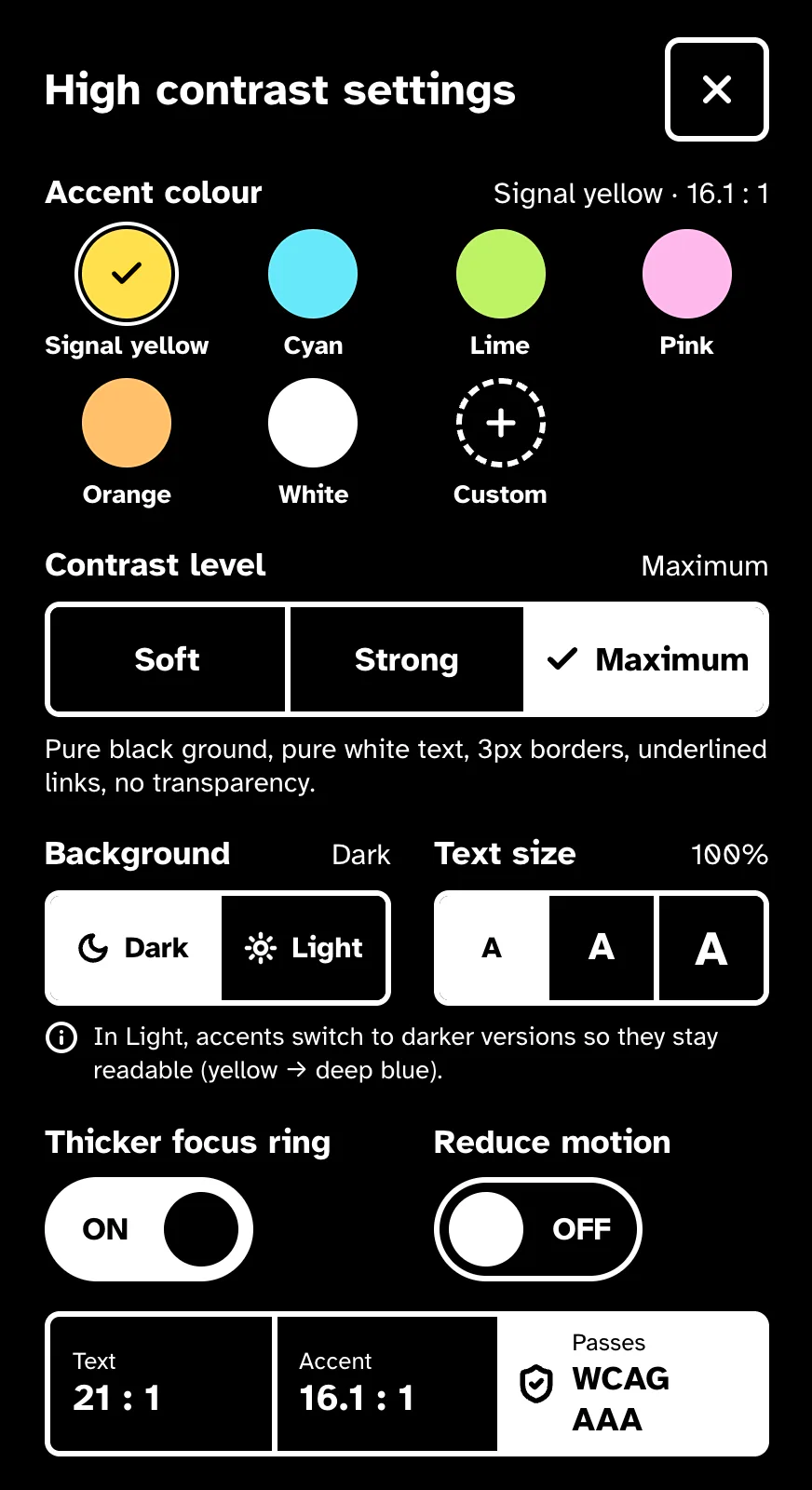
High contrast, your way
The High contrast look is built for legibility, and you set how far it goes.
- Six accent colors plus Custom, each at least 12:1 on black.
- Soft, Strong or Maximum contrast, on a dark or light background.
- Text at 100, 115 or 130%.
- A thicker focus ring, and reduced motion.
- A live WCAG readout of your text and accent contrast.
A shorter install warning
Bookmarks and recently closed tabs are now optional permissions. Orbit asks for them only when you use something that needs them: bookmark import, or the list of recently closed tabs. So the warning Chrome shows when you install Orbit is shorter.
The rest stays as it was. Orbit is local-first: what you create is stored in your browser. Analytics are opt-in, and the uninstall survey's anonymous details reach us only if you submit it.
Read the privacy policy
Galaxy stays yours
If you already use Orbit Station, you stay on Galaxy. You see one card, Pick your look, with two choices, Try a look or Keep Galaxy. In 1.8 it takes the place of the Pro pop-up.
Everything else works as before:
- Tab stacks and the ⌘K command palette.
- Four views: GDLB
- Notes and to-dos.
- Pro sync across your devices.
Before 1.8
-
1.7.6
October 2026
- No more frozen new tab. Closing Settings or Import after changing one of their options could leave the page ignoring clicks until you opened a new tab. That no longer happens.
-
1.7.5
October 2026
- Calmer prompts. The Pro spotlight and the review prompt wait until your saved setup has loaded, and the spotlight shows only on feature releases, never on patch updates.
- No dark flash. A saved light theme now applies before the new tab first paints.
- A more private uninstall survey. Its link tells us only your Orbit version. The rough, anonymous details in it reach us only if you submit the survey.
-
1.7.4
October 2026
- An update banner. Chrome holds a downloaded update until every Orbit tab closes. The new tab now says when an update is waiting and installs it in one click, and Settings › About can check for updates.

Pick your look
Orbit Station is free, with no account. Already installed? Chrome brings you 1.8 with its automatic extension updates.
Add to Chrome — freeSee every feature · Works in Chrome, Edge, Brave and other Chromium browsers